


Best fit
Customer-facing teams that need visible ownership, shared history and private coordination across supported channels.
Use assignment, teams, private notes, mentions, saved replies, labels and status controls across connected channels, with an unassigned queue for conversations that still need an owner.
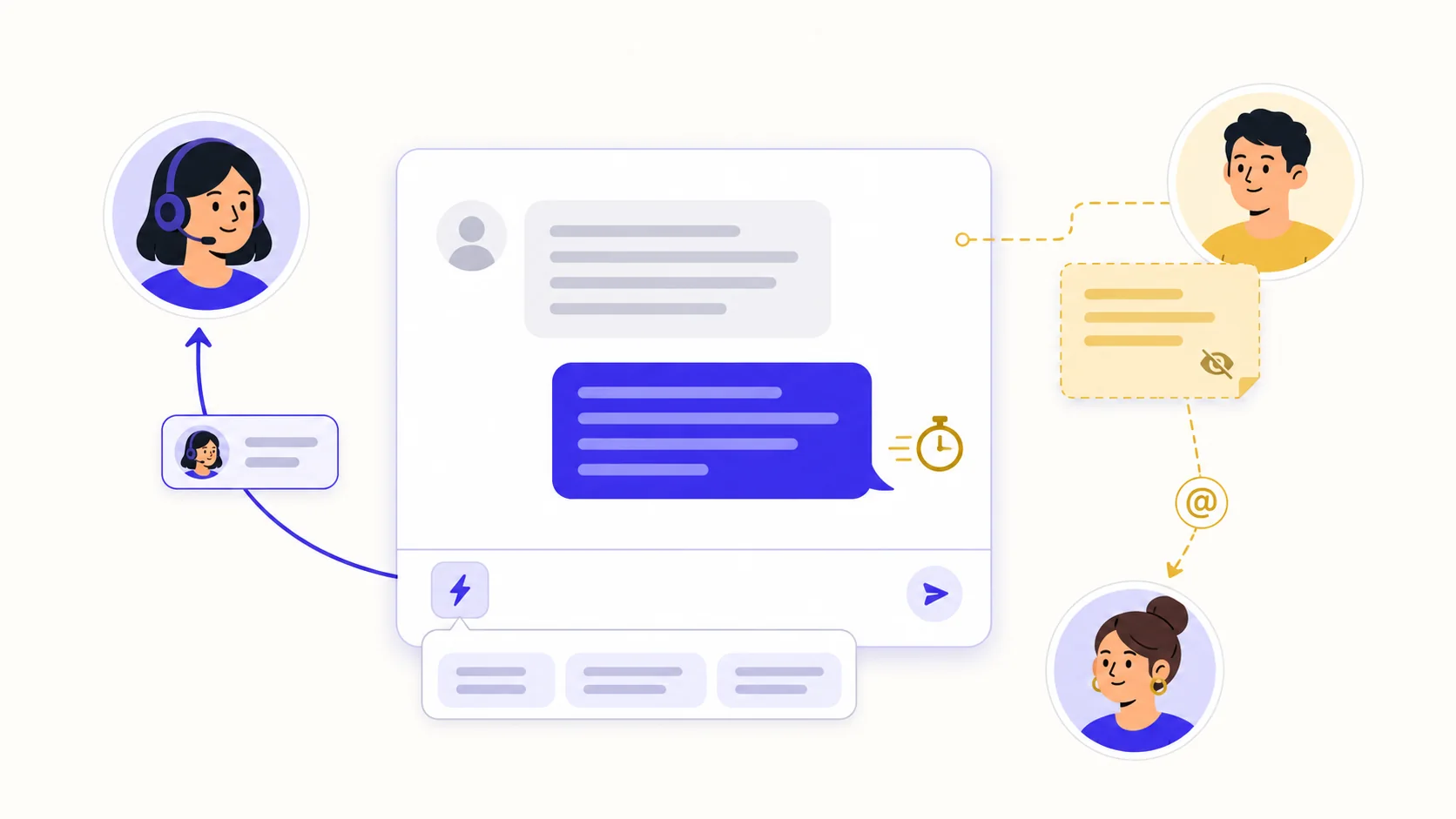
Assign manually, use a flow, or enable channel auto-assignment with round-robin or least-busy selection. If nobody is eligible or everyone reached the configured cap, the thread remains unassigned.
Internal notes stay in the workspace rather than being sent to the contact. Mention an active teammate in a note to create an inbox notification that links back to the conversation.
Insert active saved replies by name or shortcut, then check the draft before sending. Supported variables can resolve contact, channel, assignee, team, company and contact custom-field values.
Invite teammates, set their roles and organise the people or AI agents that belong to each team.
Configure channel defaults, flows or auto-assignment, including policy and open-conversation caps where needed.
Work from Mine, Unassigned, Mentions or All; reply to the contact or switch the composer to a private note.
Label, snooze or close the thread, then use configured reports and CSAT data to review service patterns.
Customer-facing teams that need visible ownership, shared history and private coordination across supported channels.
Assign a person, team or AI agent manually or through a flow. A channel can also auto-assign eligible members by round-robin or least-busy policy; when no one qualifies, the conversation stays in Unassigned.
Yes. Switch the composer to a private note; it is stored internally rather than sent through the channel. @mentioning an active teammate creates a workspace notification for that conversation.
Each channel can be configured to reopen its previous conversation or create a new one. Messaging channels default to reopen, while email defaults to a new conversation because it uses mail-thread headers.
Each capability supports a different part of the customer workflow.
 Sell and fulfil in chat
Keep a catalogue with stock, let an AI agent or your team take the order in the conversation, then move it from new to delivered and message the customer at each step.
Sell and fulfil in chat
Keep a catalogue with stock, let an AI agent or your team take the order in the conversation, then move it from new to delivered and message the customer at each step.
 CRM & pipeline
Keep contact history beside separate deals, values, outcomes and the lifecycle stages your team defines.
CRM & pipeline
Keep contact history beside separate deals, values, outcomes and the lifecycle stages your team defines.
 Flows & automation
Use visual triggers, conditions and actions to route, qualify, reply and escalate without writing code.
Flows & automation
Use visual triggers, conditions and actions to route, qualify, reply and escalate without writing code.
 Campaign outreach and replies
Send approved WhatsApp templates to filtered audiences, then handle campaign replies in the shared inbox.
Campaign outreach and replies
Send approved WhatsApp templates to filtered audiences, then handle campaign replies in the shared inbox.
 Insight, not guesswork
Review conversation volume, response and resolution times, team workload and the report filters available to your plan.
Insight, not guesswork
Review conversation volume, response and resolution times, team workload and the report filters available to your plan.
 Lead capture and follow-up
Keep enquiries from connected channels with the contact record, then use configured AI, routing, deals and tasks to manage the next step.
Lead capture and follow-up
Keep enquiries from connected channels with the contact record, then use configured AI, routing, deals and tasks to manage the next step.
 Organised for busy periods
Use ownership, team routing, statuses and workload reporting to keep peak-hour conversations visible and accountable.
Organised for busy periods
Use ownership, team routing, statuses and workload reporting to keep peak-hour conversations visible and accountable.
 Sign-in and access controls
Use encrypted connections, optional two-factor sign-in and passkeys, roles, phone masking and private-file checks as part of your security process.
Sign-in and access controls
Use encrypted connections, optional two-factor sign-in and passkeys, roles, phone masking and private-file checks as part of your security process.

Start your free 14-day trial today — no credit card required.