


Best fit
Teams that need lightweight shared follow-up tracking beside contacts and deals rather than a full project-management system.
Create dated calls, follow-ups, meetings, reminders or custom tasks; assign an owner, optionally link a contact or deal, and track open, done and cancelled work.
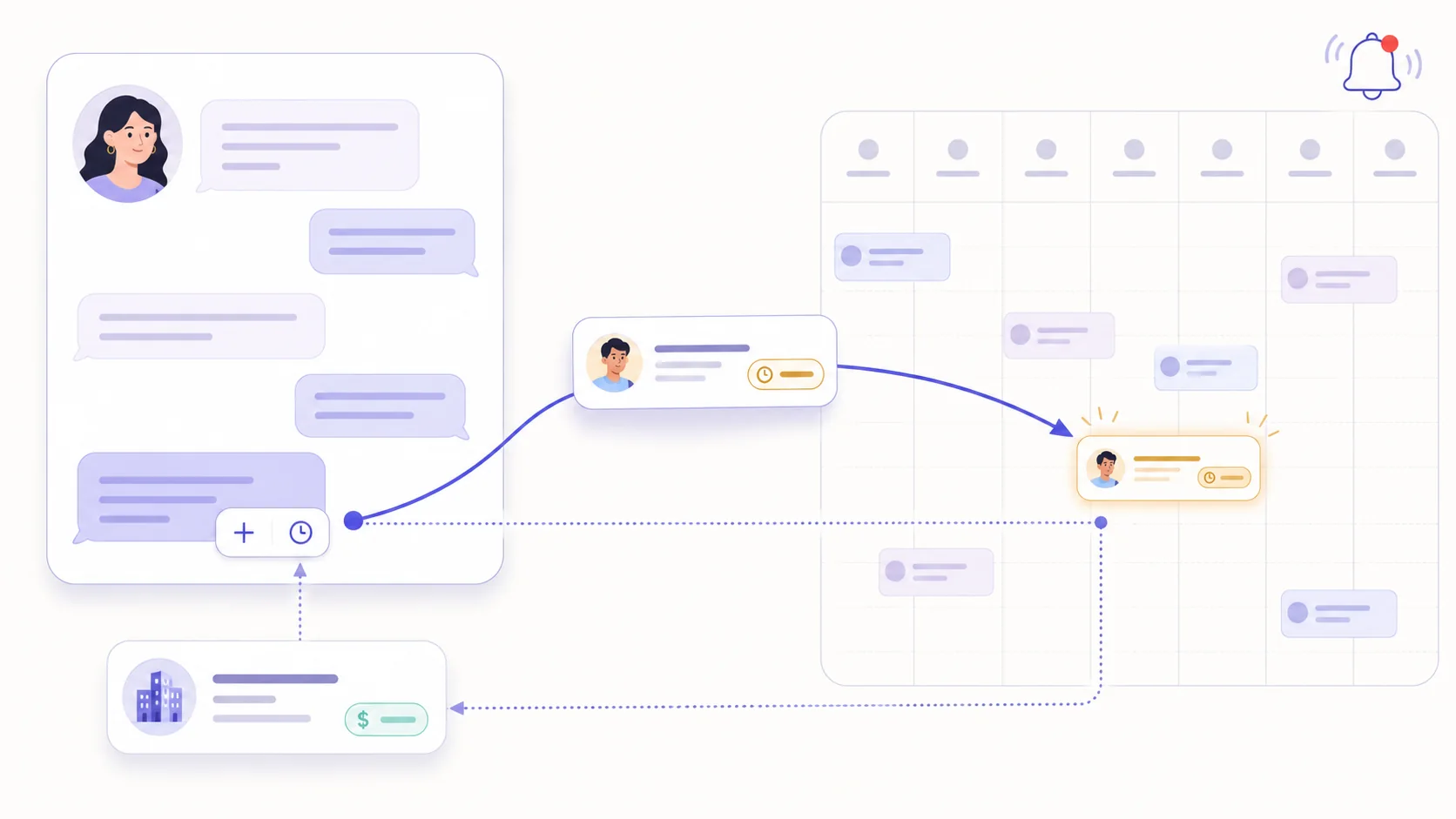
Add a contact-linked task from the inbox contact card, a deal-linked task from the pipeline, or an optionally linked task from the calendar. Titles, types, due dates and assignees remain editable under role permissions.
Use the shared month calendar or switch to the list view, then filter by owner, date range, kind and status. Each teammate also sees their due and overdue work on the dashboard.
A deal's next-follow-up field mirrors its earliest open follow-up task. Updating the date or assignee changes that linked task; completing or cancelling it clears or recalculates the mirror.
Create a task from the inbox contact card, pipeline deal or calendar, and add the title, type and optional description.
Set the due date and optional owner; authorised teammates can filter or reschedule it from the calendar.
Keep the scheduler running so an assigned open task receives one database reminder when it is within 30 minutes of due or already overdue.
Mark it done, cancel it or reopen it, and review open or overdue work from the calendar list and dashboard.
Teams that need lightweight shared follow-up tracking beside contacts and deals rather than a full project-management system.
The workspace calendar has a month grid and a list view with owner, date, kind and status filters. Assigned work due today or overdue also appears in the signed-in teammate's dashboard widget.
An assigned open task receives one database notification when the scheduled reminder command finds it due within 30 minutes or overdue. The command runs every 15 minutes when the application scheduler is configured.
Follow-up tasks can link to a deal. Its next-follow-up field mirrors the earliest open linked follow-up task, so rescheduling, completing or cancelling the task updates the deal date. Other task types do not drive that field.
Each capability supports a different part of the customer workflow.
 An AI teammate
Answers from maintained knowledge in a configured language, runs enabled actions, and hands the conversation to a human under your rules.
An AI teammate
Answers from maintained knowledge in a configured language, runs enabled actions, and hands the conversation to a human under your rules.
 Sell and fulfil in chat
Keep a catalogue with stock, let an AI agent or your team take the order in the conversation, then move it from new to delivered and message the customer at each step.
Sell and fulfil in chat
Keep a catalogue with stock, let an AI agent or your team take the order in the conversation, then move it from new to delivered and message the customer at each step.
 CRM & pipeline
Keep contact history beside separate deals, values, outcomes and the lifecycle stages your team defines.
CRM & pipeline
Keep contact history beside separate deals, values, outcomes and the lifecycle stages your team defines.
 Flows & automation
Use visual triggers, conditions and actions to route, qualify, reply and escalate without writing code.
Flows & automation
Use visual triggers, conditions and actions to route, qualify, reply and escalate without writing code.
 Campaign outreach and replies
Send approved WhatsApp templates to filtered audiences, then handle campaign replies in the shared inbox.
Campaign outreach and replies
Send approved WhatsApp templates to filtered audiences, then handle campaign replies in the shared inbox.
 Insight, not guesswork
Review conversation volume, response and resolution times, team workload and the report filters available to your plan.
Insight, not guesswork
Review conversation volume, response and resolution times, team workload and the report filters available to your plan.
 Lead capture and follow-up
Keep enquiries from connected channels with the contact record, then use configured AI, routing, deals and tasks to manage the next step.
Lead capture and follow-up
Keep enquiries from connected channels with the contact record, then use configured AI, routing, deals and tasks to manage the next step.
 Organised for busy periods
Use ownership, team routing, statuses and workload reporting to keep peak-hour conversations visible and accountable.
Organised for busy periods
Use ownership, team routing, statuses and workload reporting to keep peak-hour conversations visible and accountable.
 Sign-in and access controls
Use encrypted connections, optional two-factor sign-in and passkeys, roles, phone masking and private-file checks as part of your security process.
Sign-in and access controls
Use encrypted connections, optional two-factor sign-in and passkeys, roles, phone masking and private-file checks as part of your security process.

Start your free 14-day trial today — no credit card required.