


Best fit
Small businesses selling goods over chat — retail, e-commerce and food — that already answer customers in Labeeq and want the order kept beside the conversation.
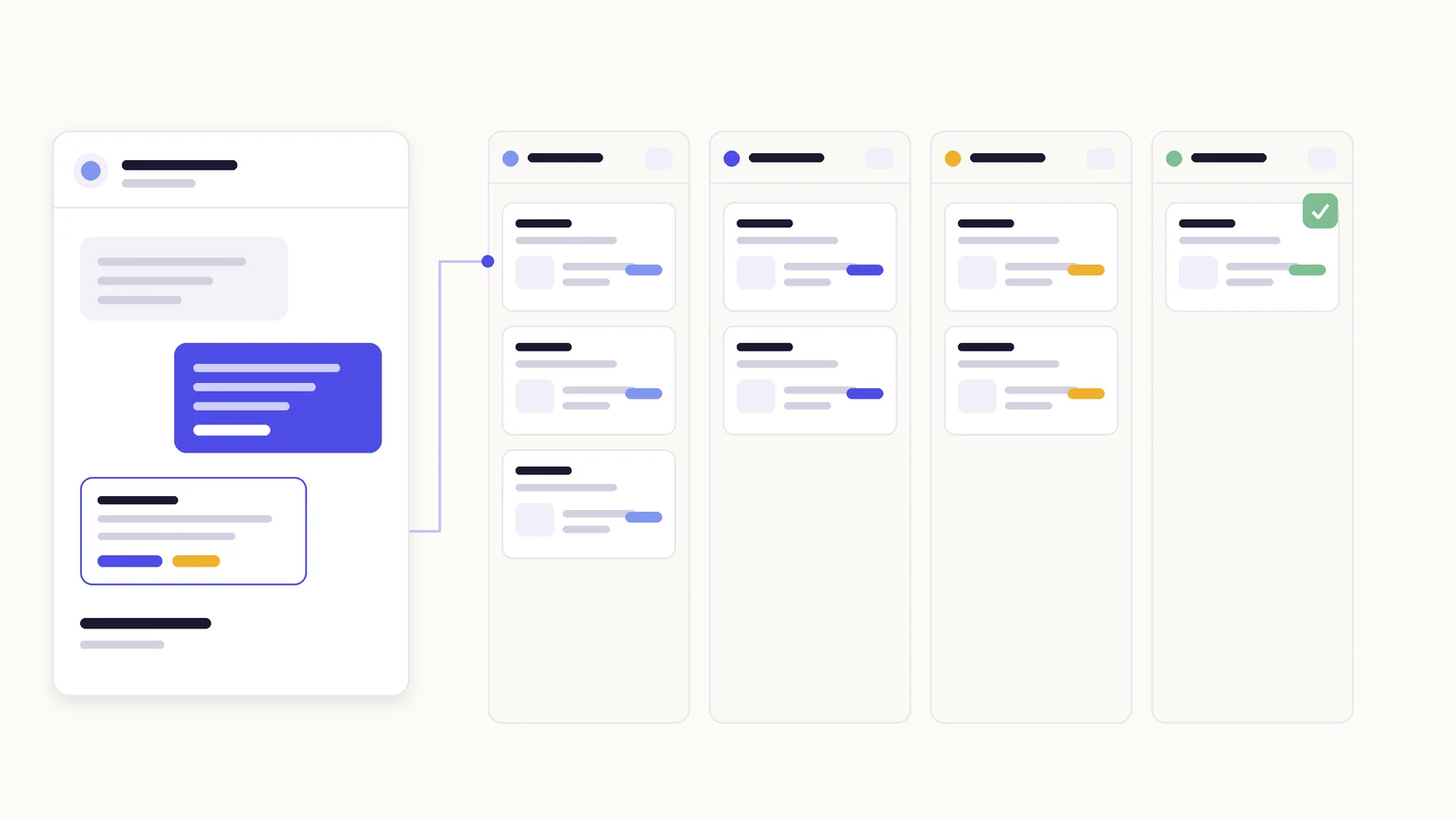
Keep a product catalogue with variants and stock, take an order from chat or by hand, move it across a status board, and message the customer as each status changes.
Products carry a price, an optional SKU, a picture and variants with their own price and stock. Stock is tracked or left unlimited per product, and a low-stock threshold marks what is running out. An AI agent selling in chat quotes only these prices.
Orders move through new, confirmed, preparing, out for delivery and delivered, with cancelled and returned kept aside. Drag a card or change the status from the order, and the stock it reserved is released when an order is cancelled or returned.
Write a message per status change and it is sent on the channel the order came from. Where the WhatsApp service window has closed, an approved template is used instead.
Add your products with their prices, variants and opening stock, and write the delivery fees you charge into your AI agent’s instructions.
Decide how orders arrive: taken by an AI agent in chat, created by a flow, added by hand from the inbox, or posted over the API.
Write the customer message for each status you want announced, and choose the WhatsApp template for messages outside the service window.
Work the board day to day, and read the orders report for revenue, status mix and what is selling.
Small businesses selling goods over chat — retail, e-commerce and food — that already answer customers in Labeeq and want the order kept beside the conversation.
Yes, when the order-taking action is enabled. It quotes only your catalogue prices, collects the address and payment method, reads the whole order back and places it only after the customer confirms in their latest message. It never invents a product, a price or a delivery fee.
The quantity is reserved against the product or variant, so the available figure drops immediately. Cancelling or returning the order releases it. Products can also be left untracked, in which case nothing is counted.
Only for the statuses you write a message for. The message is sent on the channel the order came from; where the WhatsApp service window has closed, an approved template is used instead.
No. Payment is recorded rather than processed — cash on delivery, bank transfer or wallet, marked by hand or over the API. There is no card checkout.
No. Labeeq holds the order, its delivery address and fee, and its status. Shipping, waybills and accounting stay in whatever you already use.
Yes. They can be added by hand from the board or the inbox, created by a flow step, posted over the API, or brought in from a connected WhatsApp catalogue cart. Order webhooks let another system react to each change.
The order is still taken. The agent quotes a delivery fee only when its instructions give one; otherwise it says the team will confirm the fee, so nobody quotes a price for an area you have not priced.
Each capability supports a different part of the customer workflow.
 An AI teammate
Answers from maintained knowledge in a configured language, runs enabled actions, and hands the conversation to a human under your rules.
An AI teammate
Answers from maintained knowledge in a configured language, runs enabled actions, and hands the conversation to a human under your rules.
 CRM & pipeline
Keep contact history beside separate deals, values, outcomes and the lifecycle stages your team defines.
CRM & pipeline
Keep contact history beside separate deals, values, outcomes and the lifecycle stages your team defines.
 Flows & automation
Use visual triggers, conditions and actions to route, qualify, reply and escalate without writing code.
Flows & automation
Use visual triggers, conditions and actions to route, qualify, reply and escalate without writing code.
 Campaign outreach and replies
Send approved WhatsApp templates to filtered audiences, then handle campaign replies in the shared inbox.
Campaign outreach and replies
Send approved WhatsApp templates to filtered audiences, then handle campaign replies in the shared inbox.
 Insight, not guesswork
Review conversation volume, response and resolution times, team workload and the report filters available to your plan.
Insight, not guesswork
Review conversation volume, response and resolution times, team workload and the report filters available to your plan.
 Lead capture and follow-up
Keep enquiries from connected channels with the contact record, then use configured AI, routing, deals and tasks to manage the next step.
Lead capture and follow-up
Keep enquiries from connected channels with the contact record, then use configured AI, routing, deals and tasks to manage the next step.
 Organised for busy periods
Use ownership, team routing, statuses and workload reporting to keep peak-hour conversations visible and accountable.
Organised for busy periods
Use ownership, team routing, statuses and workload reporting to keep peak-hour conversations visible and accountable.
 Sign-in and access controls
Use encrypted connections, optional two-factor sign-in and passkeys, roles, phone masking and private-file checks as part of your security process.
Sign-in and access controls
Use encrypted connections, optional two-factor sign-in and passkeys, roles, phone masking and private-file checks as part of your security process.

Start your free 14-day trial today — no credit card required.