


Best fit
Teams that need searchable customer context beside conversations and want controlled imports, segmentation and duplicate cleanup.
Inbound messages can create channel-identified contacts. Add labels, fields, notes and a lifecycle stage, import existing lists, and review possible duplicates before merging them.
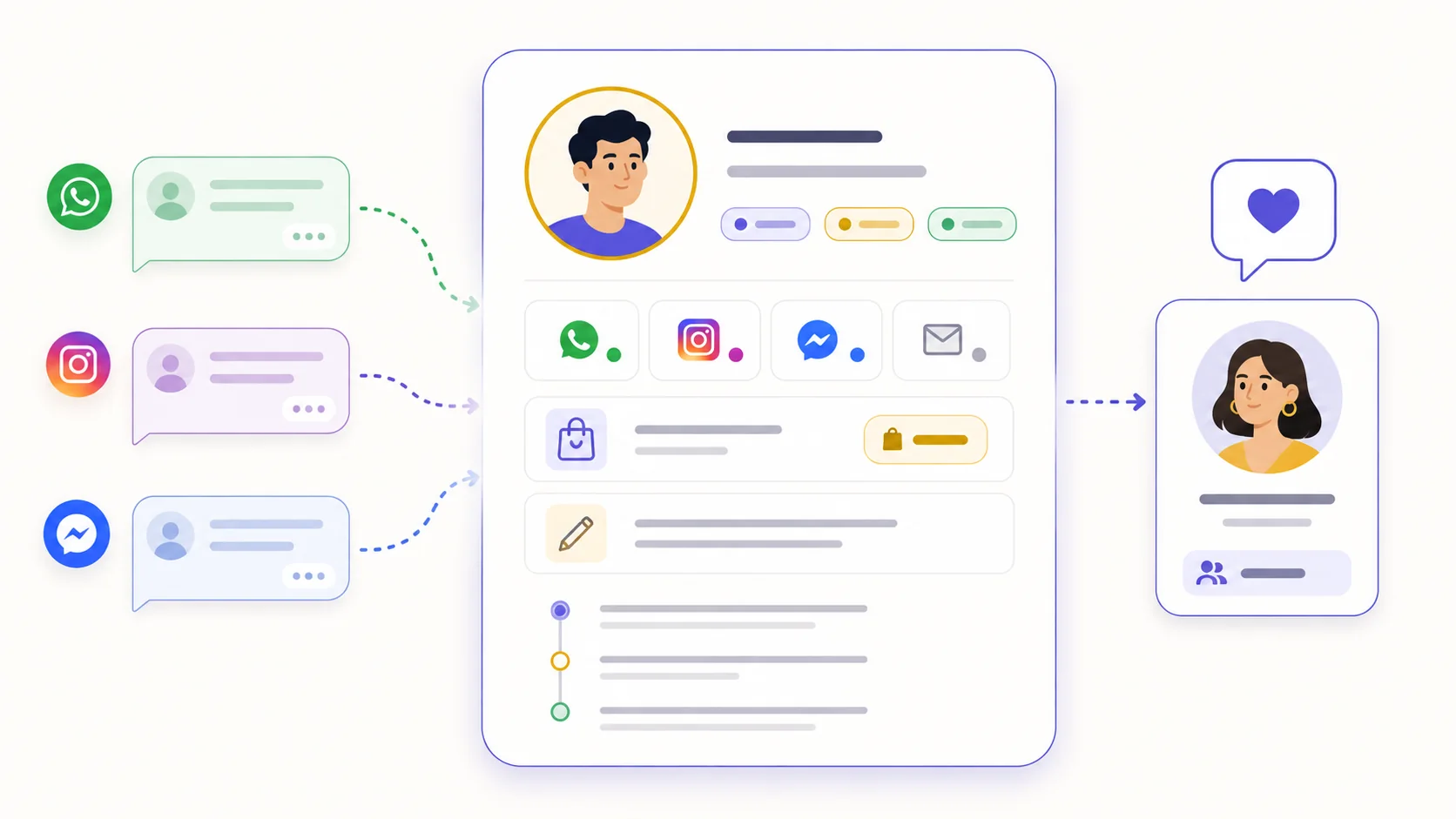
A first inbound message can create or reuse the contact linked to that channel handle. Labeeq does not assume that unrelated handles on different channels belong to the same person.
Store labels, notes, one contact lifecycle stage and contact custom fields such as city, branch or account number, then use supported attributes to filter and build segments.
Matching phone numbers or email addresses can surface suggestions. An authorised teammate chooses what to keep before conversations, deals, labels and available field values move to the surviving contact.
Let an inbound conversation create a channel-identified contact, add one manually, or import a reviewed CSV.
Add labels, notes, contact fields and a lifecycle stage as the team learns more.
Review suggestions based on a shared phone or email, and merge only records you have verified.
Build segments from supported contact attributes for targeted campaigns and workflow decisions.
Teams that need searchable customer context beside conversations and want controlled imports, segmentation and duplicate cleanup.
Yes. Upload a CSV, map its columns, choose phone or email as the identifier, and review row problems before import. Existing lifecycle stages, labels and contact custom fields can be mapped; consent is not inferred from the file.
Labeeq can suggest records that share a normalised phone number or case-insensitive email. Nothing merges automatically: an authorised user reviews the values and chooses the surviving contact.
Yes. Contact custom fields support text, number, date, boolean and select values. Contact fields can be used in supported filters and segments; conversation fields are a separate custom-field scope.
Each capability supports a different part of the customer workflow.
 An AI teammate
Answers from maintained knowledge in a configured language, runs enabled actions, and hands the conversation to a human under your rules.
An AI teammate
Answers from maintained knowledge in a configured language, runs enabled actions, and hands the conversation to a human under your rules.
 Sell and fulfil in chat
Keep a catalogue with stock, let an AI agent or your team take the order in the conversation, then move it from new to delivered and message the customer at each step.
Sell and fulfil in chat
Keep a catalogue with stock, let an AI agent or your team take the order in the conversation, then move it from new to delivered and message the customer at each step.
 CRM & pipeline
Keep contact history beside separate deals, values, outcomes and the lifecycle stages your team defines.
CRM & pipeline
Keep contact history beside separate deals, values, outcomes and the lifecycle stages your team defines.
 Flows & automation
Use visual triggers, conditions and actions to route, qualify, reply and escalate without writing code.
Flows & automation
Use visual triggers, conditions and actions to route, qualify, reply and escalate without writing code.
 Campaign outreach and replies
Send approved WhatsApp templates to filtered audiences, then handle campaign replies in the shared inbox.
Campaign outreach and replies
Send approved WhatsApp templates to filtered audiences, then handle campaign replies in the shared inbox.
 Insight, not guesswork
Review conversation volume, response and resolution times, team workload and the report filters available to your plan.
Insight, not guesswork
Review conversation volume, response and resolution times, team workload and the report filters available to your plan.
 Lead capture and follow-up
Keep enquiries from connected channels with the contact record, then use configured AI, routing, deals and tasks to manage the next step.
Lead capture and follow-up
Keep enquiries from connected channels with the contact record, then use configured AI, routing, deals and tasks to manage the next step.
 Organised for busy periods
Use ownership, team routing, statuses and workload reporting to keep peak-hour conversations visible and accountable.
Organised for busy periods
Use ownership, team routing, statuses and workload reporting to keep peak-hour conversations visible and accountable.
 Sign-in and access controls
Use encrypted connections, optional two-factor sign-in and passkeys, roles, phone masking and private-file checks as part of your security process.
Sign-in and access controls
Use encrypted connections, optional two-factor sign-in and passkeys, roles, phone masking and private-file checks as part of your security process.

Start your free 14-day trial today — no credit card required.