


Best fit
Teams that operate several supported messaging, email, SMS or web-chat endpoints and want shared ownership without hiding provider-specific rules.
Connect WhatsApp, Instagram, Messenger, Telegram, Viber, LINE, WeChat, email, SMS and website chat to one team workspace, while each provider keeps its own setup and messaging rules.
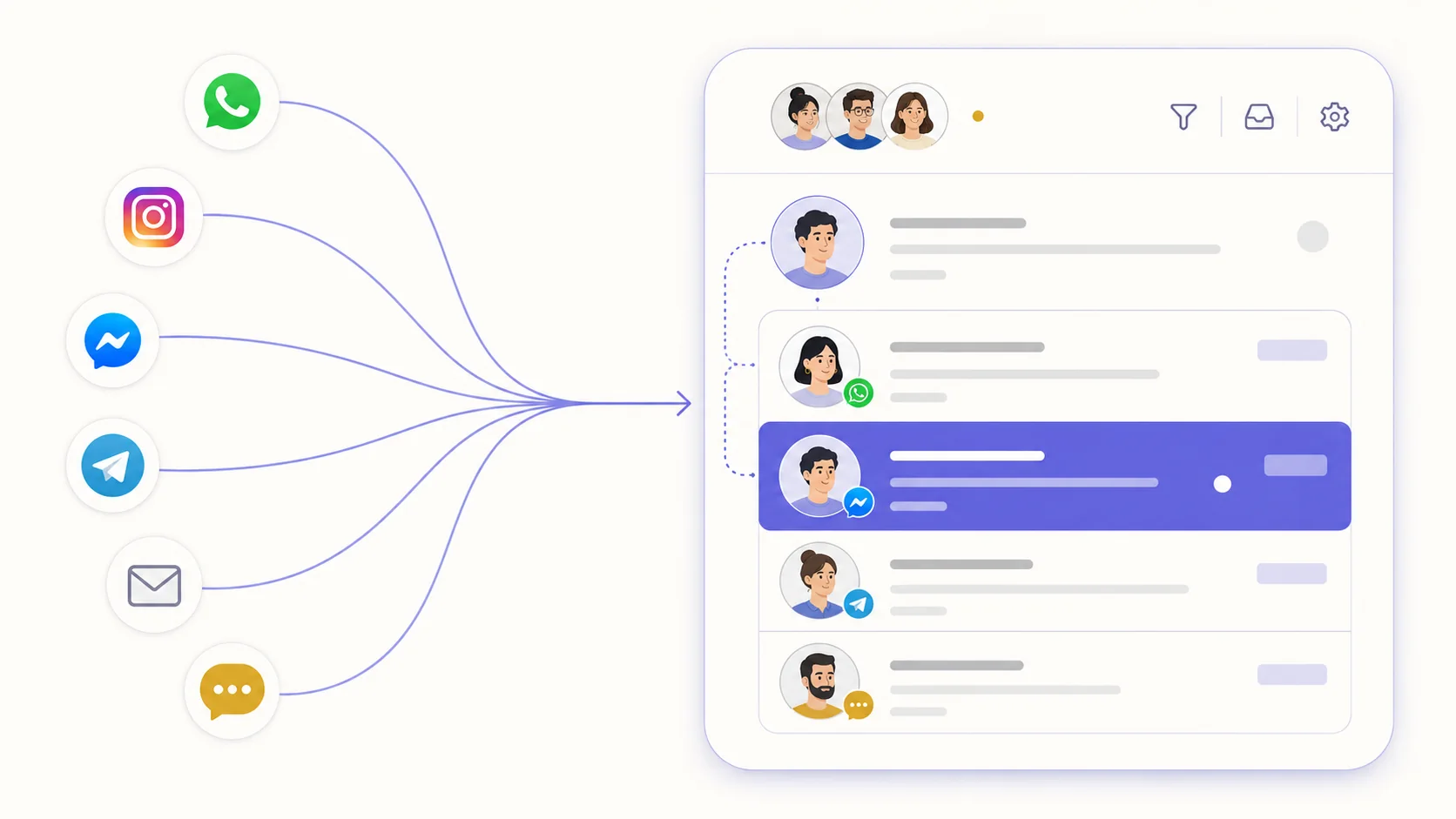
Meta and supported Google mailboxes can use OAuth when the platform apps are configured. Telegram, other email and SMS providers use the credentials and webhook steps their connection requires.
Each channel message joins its own contact and conversation context. Duplicate suggestions and reviewed merges help unify the same person when reliable identifiers are available.
The inbox sends the reply through the connected channel, subject to its authentication, service windows, approved templates, supported media and provider availability.
Open Settings → Channels and pick the channel to connect.
Complete its OAuth, token, mailbox or SMS-provider setup and run the available connection check.
Send an inbound and outbound test, then configure ownership, business hours, greetings and provider-specific behavior.
Add further channel instances when ready; plans currently list no connected-channel count cap.
Teams that operate several supported messaging, email, SMS or web-chat endpoints and want shared ownership without hiding provider-specific rules.
WhatsApp (official API), Instagram, Facebook Messenger, Telegram, email, SMS and your website's chat widget.
The product supports multiple channel records and lists no plan cap on connected channels. Each provider asset must still be eligible, under your control and not claimed by an incompatible connection.
It depends on the provider. Meta and supported Google mailbox paths can use OAuth when platform credentials are configured; Telegram, other mailboxes and SMS providers require their own tokens, server details, webhooks or verification.
Each capability supports a different part of the customer workflow.
 An AI teammate
Answers from maintained knowledge in a configured language, runs enabled actions, and hands the conversation to a human under your rules.
An AI teammate
Answers from maintained knowledge in a configured language, runs enabled actions, and hands the conversation to a human under your rules.
 Sell and fulfil in chat
Keep a catalogue with stock, let an AI agent or your team take the order in the conversation, then move it from new to delivered and message the customer at each step.
Sell and fulfil in chat
Keep a catalogue with stock, let an AI agent or your team take the order in the conversation, then move it from new to delivered and message the customer at each step.
 CRM & pipeline
Keep contact history beside separate deals, values, outcomes and the lifecycle stages your team defines.
CRM & pipeline
Keep contact history beside separate deals, values, outcomes and the lifecycle stages your team defines.
 Flows & automation
Use visual triggers, conditions and actions to route, qualify, reply and escalate without writing code.
Flows & automation
Use visual triggers, conditions and actions to route, qualify, reply and escalate without writing code.
 Campaign outreach and replies
Send approved WhatsApp templates to filtered audiences, then handle campaign replies in the shared inbox.
Campaign outreach and replies
Send approved WhatsApp templates to filtered audiences, then handle campaign replies in the shared inbox.
 Insight, not guesswork
Review conversation volume, response and resolution times, team workload and the report filters available to your plan.
Insight, not guesswork
Review conversation volume, response and resolution times, team workload and the report filters available to your plan.
 Lead capture and follow-up
Keep enquiries from connected channels with the contact record, then use configured AI, routing, deals and tasks to manage the next step.
Lead capture and follow-up
Keep enquiries from connected channels with the contact record, then use configured AI, routing, deals and tasks to manage the next step.
 Organised for busy periods
Use ownership, team routing, statuses and workload reporting to keep peak-hour conversations visible and accountable.
Organised for busy periods
Use ownership, team routing, statuses and workload reporting to keep peak-hour conversations visible and accountable.
 Sign-in and access controls
Use encrypted connections, optional two-factor sign-in and passkeys, roles, phone masking and private-file checks as part of your security process.
Sign-in and access controls
Use encrypted connections, optional two-factor sign-in and passkeys, roles, phone masking and private-file checks as part of your security process.

Start your free 14-day trial today — no credit card required.