


Best fit
Teams with repeatable customer questions, maintained source material and a clear human escalation path.
An active, assigned agent can draft customer replies from its instructions and selected knowledge, use enabled workspace actions, and hand a conversation to a named teammate, team or AI agent.
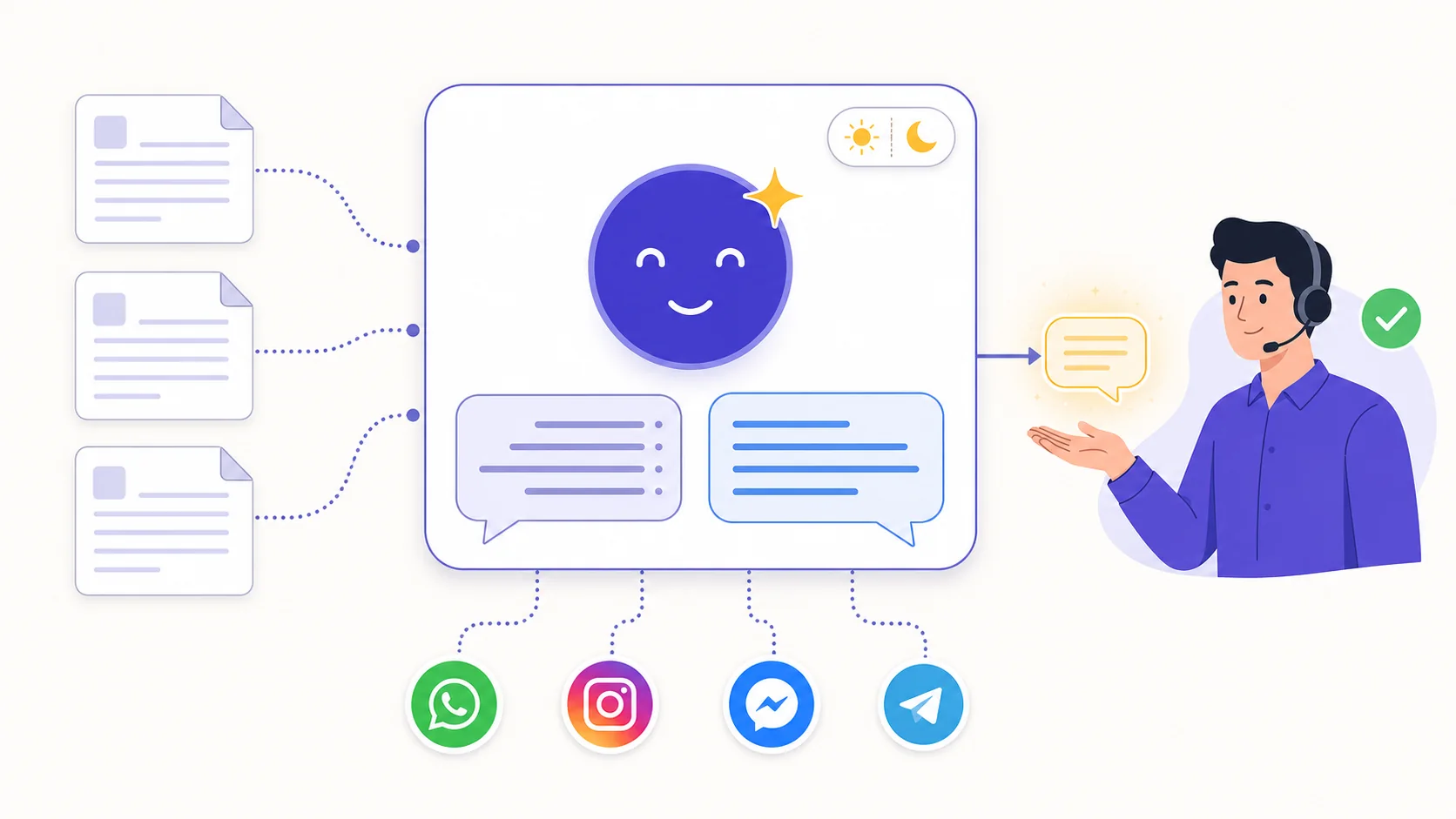
Attach selected text, supported files or crawled website sources, then add instructions and example exchanges. Keep those sources current and decide whether general model knowledge is allowed.
The agent responds while it is active and assigned. With assignment enabled, it can transfer the thread to an available person, team or another agent; the existing conversation history remains visible.
Enable actions such as assignment, memory, existing labels, lifecycle changes, internal notes, flow starts and closing. Contact-field capture is enabled by default and can be switched off.
Create an agent, choose its language behavior, and write clear scope and escalation instructions.
Attach the relevant knowledge sources, examples and saved media, then enable only the actions it needs.
Use the playground and test conversations for known, unknown, sensitive and handoff cases.
Assign it manually or through a flow, then review real replies, actions, handoffs and AI allowance.
Teams with repeatable customer questions, maintained source material and a clear human escalation path.
Labeeq has both — and they do different jobs. Flows follow the branches you draw; the agent holds a conversation.
| Bot flows | AI agent | |
|---|---|---|
| Best for | Predictable journeys — menus, routing, collecting details | Open questions asked in natural language |
| Input | Defined triggers, buttons and saved answers | Natural-language customer messages |
| Behaviour | Runs configured nodes, conditions and actions | Generates replies and proposes enabled actions |
| Unknown requests | Follow the fallback path you configured | May answer or use a configured handoff path |
| Setup | Drag-and-drop builder | Instructions + knowledge documents |
| Cost | Included in every plan | Free monthly credits; add-on packages beyond |
They can work together: a flow handles deterministic routing, then an assigned agent handles suitable free-text questions until a configured handoff applies.
An active agent can handle eligible inbound turns outside staffed hours as well as during the day, subject to provider availability, credits and channel delivery.
Choose a fixed language or instruct the agent to follow the customer's latest language. The rule guides the model; production testing confirms whether its wording suits your audience.
Per-agent controls cover assignment, memory, existing labels, lifecycle changes, notes, flows and closure; contact-field capture starts enabled and remains configurable.
The assignment action can transfer to an available named target. When internal notes are also enabled, the generated handoff can include a private context note.
Instructions can compile into reviewed follow-up or close steps for quiet conversations. Keep the agent assigned and test timing, message content and cancellation behavior.
An agent can assign to another available AI agent by exact name when the assignment action and target are configured; test loops and fallback ownership before launch.
Select maintained business sources and decide whether general knowledge is allowed. Grounding reduces unsupported answers but still needs monitoring and escalation tests.
Most workspace actions are opt-in for each agent and can carry operator guidance. Contact-field capture is enabled by default, so review that toggle too.
The configured provider processes conversation context to generate output. Confirm its retention, training and regional terms against your own data requirements.
Automated replies require the agent to remain active and assigned. Turn it off or reassign future handling to a person, then confirm the thread's resulting ownership.
You can fix an agent to Arabic or English, choose another configured language, or instruct it to match the customer's latest language. The model generates the wording, so test the languages and dialects your customers actually use.
Each plan currently includes a monthly AI-credit allowance. When it is exhausted, AI responses pause unless you add an AI package; allowances reset by calendar month.
Yes, when the assignment action is enabled and a valid person or team is available. Enable internal notes as well if you want the agent to leave its generated handoff context for the team.
Available controls include capturing contact fields, remembering durable facts, assigning, adding existing labels, changing the contact lifecycle, leaving notes, starting an active flow, sending saved media and closing a resolved thread. Enable and test each one deliberately.
Write instructions and examples, then attach selected plain text, supported text or PDF files, or website knowledge sources. Review crawled content and resync sources when your catalogue or policies change.
It can. Restricting it to maintained knowledge, disabling general knowledge and defining escalation rules reduces risk but cannot eliminate model errors. Test regularly and reserve high-impact decisions for people.
There is no safe universal time estimate. Readiness depends on provider configuration, clean source material, action and routing setup, and successful testing of normal, unknown and sensitive requests.
Yes, if a tested flow assigns eligible after-hours conversations to the active agent and routes daytime or escalation cases to your team. Business-hours and fallback rules must be configured.
Each capability supports a different part of the customer workflow.
 Sell and fulfil in chat
Keep a catalogue with stock, let an AI agent or your team take the order in the conversation, then move it from new to delivered and message the customer at each step.
Sell and fulfil in chat
Keep a catalogue with stock, let an AI agent or your team take the order in the conversation, then move it from new to delivered and message the customer at each step.
 CRM & pipeline
Keep contact history beside separate deals, values, outcomes and the lifecycle stages your team defines.
CRM & pipeline
Keep contact history beside separate deals, values, outcomes and the lifecycle stages your team defines.
 Flows & automation
Use visual triggers, conditions and actions to route, qualify, reply and escalate without writing code.
Flows & automation
Use visual triggers, conditions and actions to route, qualify, reply and escalate without writing code.
 Campaign outreach and replies
Send approved WhatsApp templates to filtered audiences, then handle campaign replies in the shared inbox.
Campaign outreach and replies
Send approved WhatsApp templates to filtered audiences, then handle campaign replies in the shared inbox.
 Insight, not guesswork
Review conversation volume, response and resolution times, team workload and the report filters available to your plan.
Insight, not guesswork
Review conversation volume, response and resolution times, team workload and the report filters available to your plan.
 Lead capture and follow-up
Keep enquiries from connected channels with the contact record, then use configured AI, routing, deals and tasks to manage the next step.
Lead capture and follow-up
Keep enquiries from connected channels with the contact record, then use configured AI, routing, deals and tasks to manage the next step.
 Organised for busy periods
Use ownership, team routing, statuses and workload reporting to keep peak-hour conversations visible and accountable.
Organised for busy periods
Use ownership, team routing, statuses and workload reporting to keep peak-hour conversations visible and accountable.
 Sign-in and access controls
Use encrypted connections, optional two-factor sign-in and passkeys, roles, phone masking and private-file checks as part of your security process.
Sign-in and access controls
Use encrypted connections, optional two-factor sign-in and passkeys, roles, phone masking and private-file checks as part of your security process.

Start your free 14-day trial today — no credit card required.